
What Is Personizely and How Does It Work? (2027)
Personizely is an A/B testing platform for ecommerce brands, built for Shopify. Every day, 2,600+ companies use it, from store owners to growth teams and agencies. This article explains how the platform works, what it costs, and who it's for.
Start your 14-day free trial. No credit card needed.
What is Personizely?
Personizely is an A/B testing platform for ecommerce brands, built for Shopify. It lets brands test content, prices, checkout, shipping, themes, and full pages, then shows which version earns more revenue. If you're unfamiliar with A/B testing, also known as split testing, it's a method that shows different versions of a page to separate groups of visitors.
For example, say you've launched a new product and want to know which price your customers buy at most often. Instead of changing the price and guessing whether sales went up, you can test both prices at the same time.
Personizely runs that experiment on your live store and reports which version converts better and earns you more revenue. It installs as an app from the Shopify App Store. WordPress websites install a plugin, and other websites add one script tag.
Personizely was founded in 2018 in Chișinău, Moldova, and launched its Shopify app the same year. The app holds a 5.0-star rating from 94 reviews on the Shopify App Store.
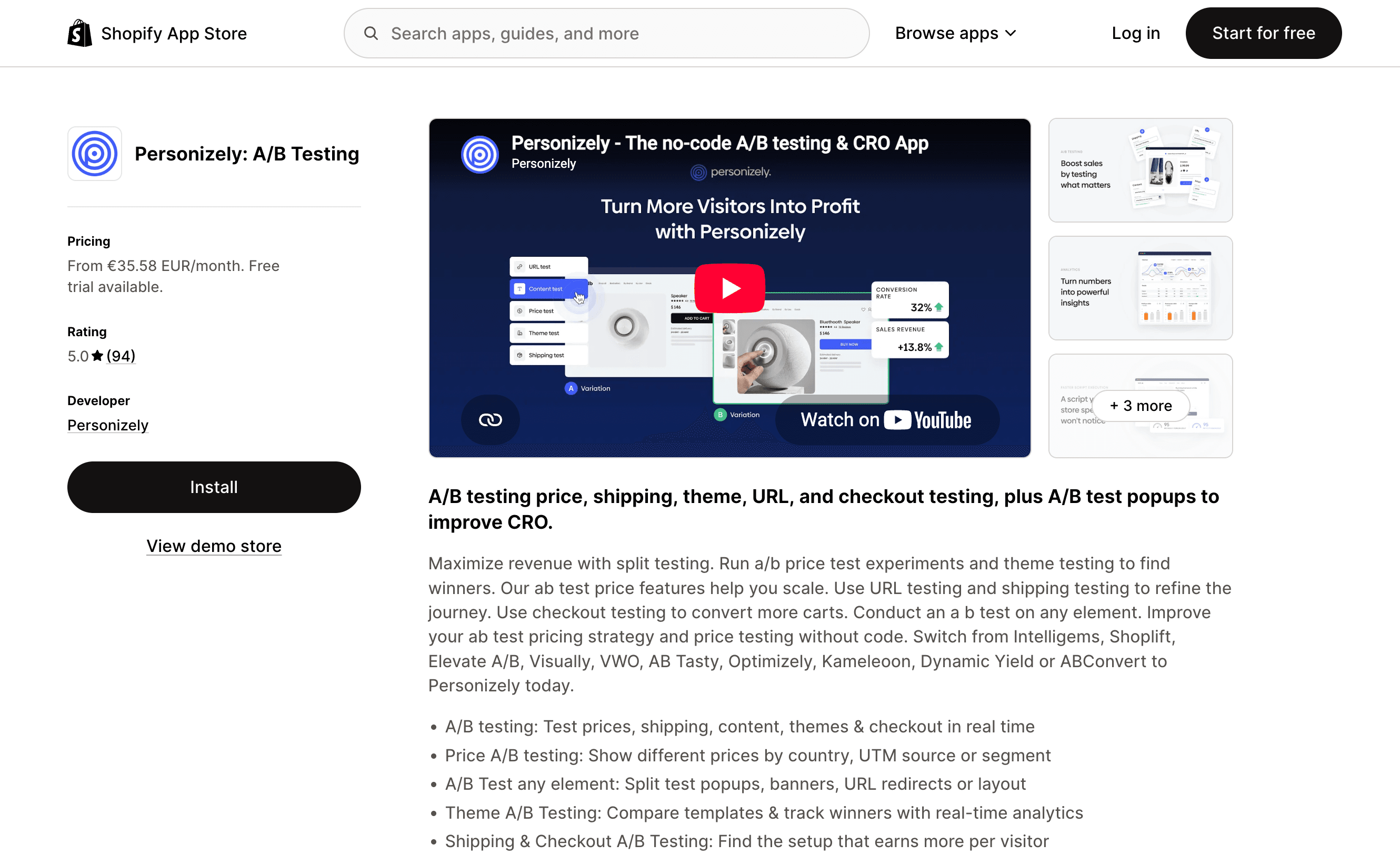
From the dashboard, you create campaigns (Personizely's name for tests), split traffic between variations, review the results, and roll out winners. You build most tests in a visual editor, so no coding is needed.
Aside from A/B testing, you can also show targeted content to a specific visitor segment and test popups and on-site offers, all on the same platform.
Ecommerce store owners, ecommerce managers, growth teams, and CRO agencies use it to test product pages, prices, shipping rates, checkout, and whole themes before they roll a change out to all customers.
How Personizely works
Personizely's A/B testing tools work together as one system: you build a variation, choose who sees it, and measure what it earns.
| What Personizely does | What you can do |
|---|---|
| A/B testing | Test content, pages, prices, shipping, checkout, and themes against your current store. |
| Visual editor | Build variations by pointing and clicking, with no coding. |
| Targeting | Choose who sees a test by location, device, traffic source, behavior, or customer data. |
| Analytics | See conversion rate, revenue per visitor, profit per visitor, and average order value (AOV) for every variation. |
Launch your first test
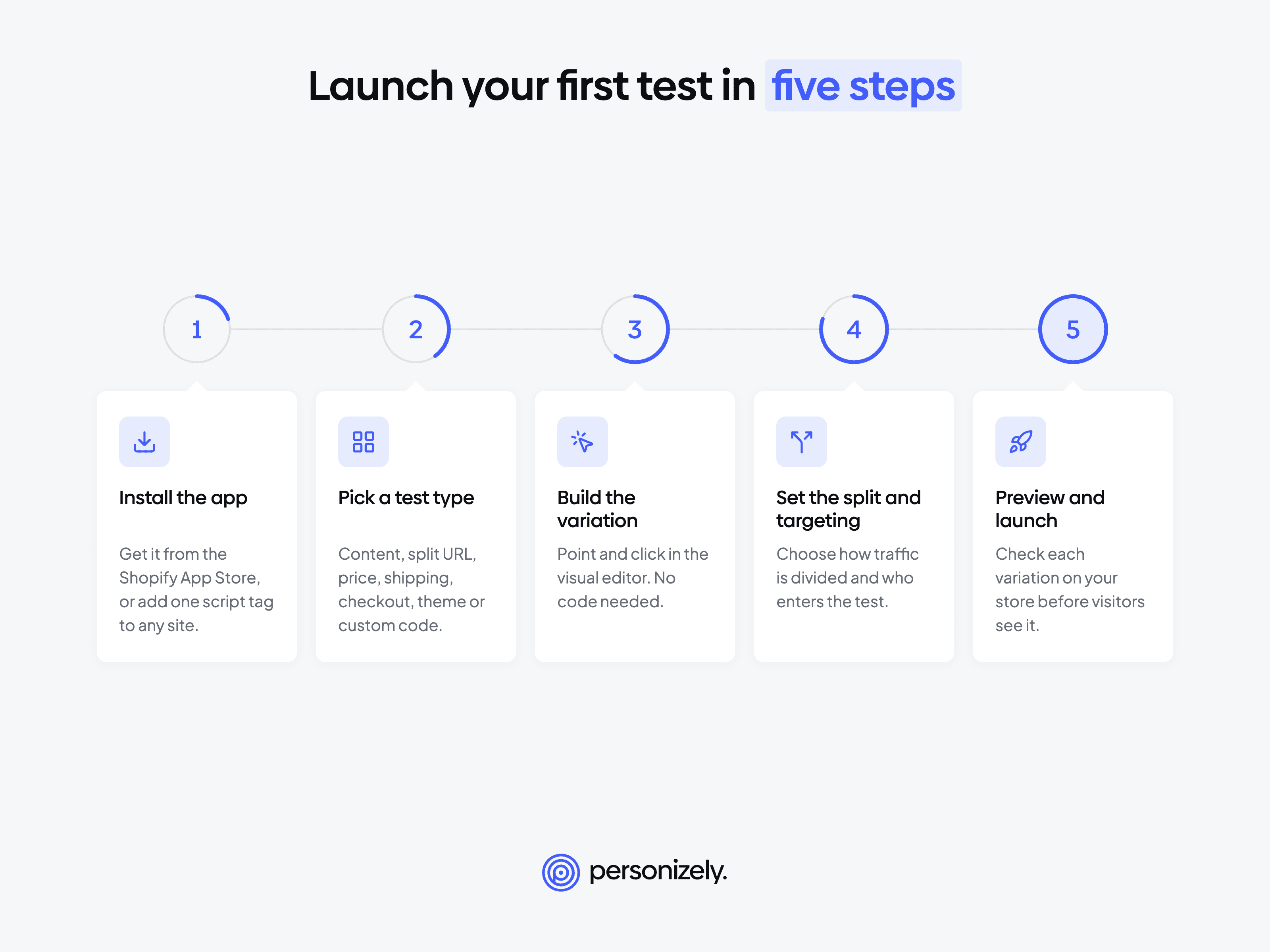
Go from install to a live experiment in minutes, with no developer.
Your first test takes five steps. Install the app, pick a test type, build the variation, set the traffic split and targeting, then launch. You can preview each variation on your live website first. If you get stuck, the support team helps you set up any test.
Find out more about A/B testing with Personizely.
Test content and page design
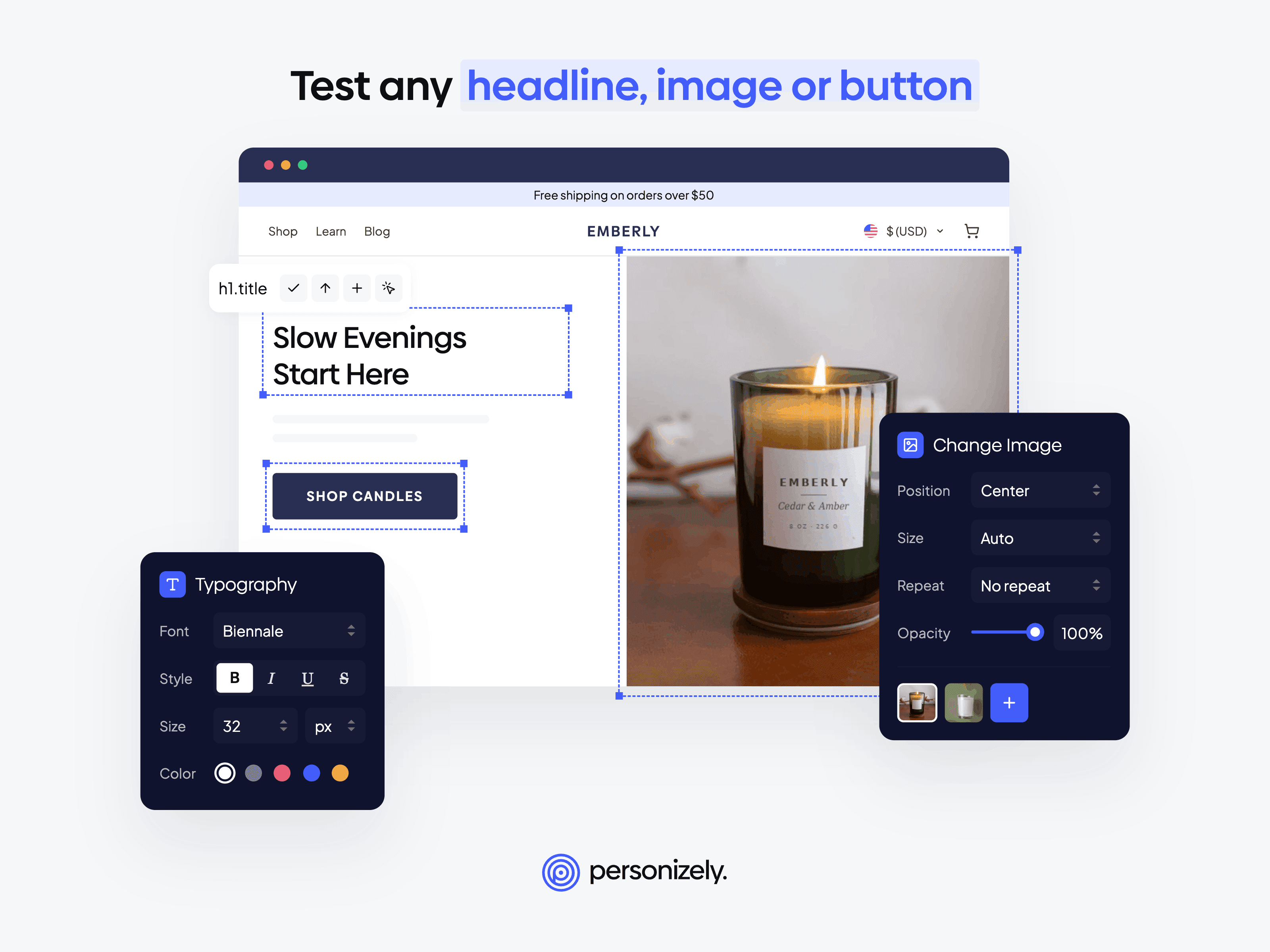
Change the elements visitors see, with no developer.
Content testing lets you click page elements on a live website and edit them in the visual editor. You can test headlines, images, CTAs, layouts, and sections on product pages, landing pages, or every page at once. Create as many variations as you need. Only visitors in the experiment see them. Content tests work on any website that runs Personizely.
Find out more about content testing.
Test full pages with split URL testing
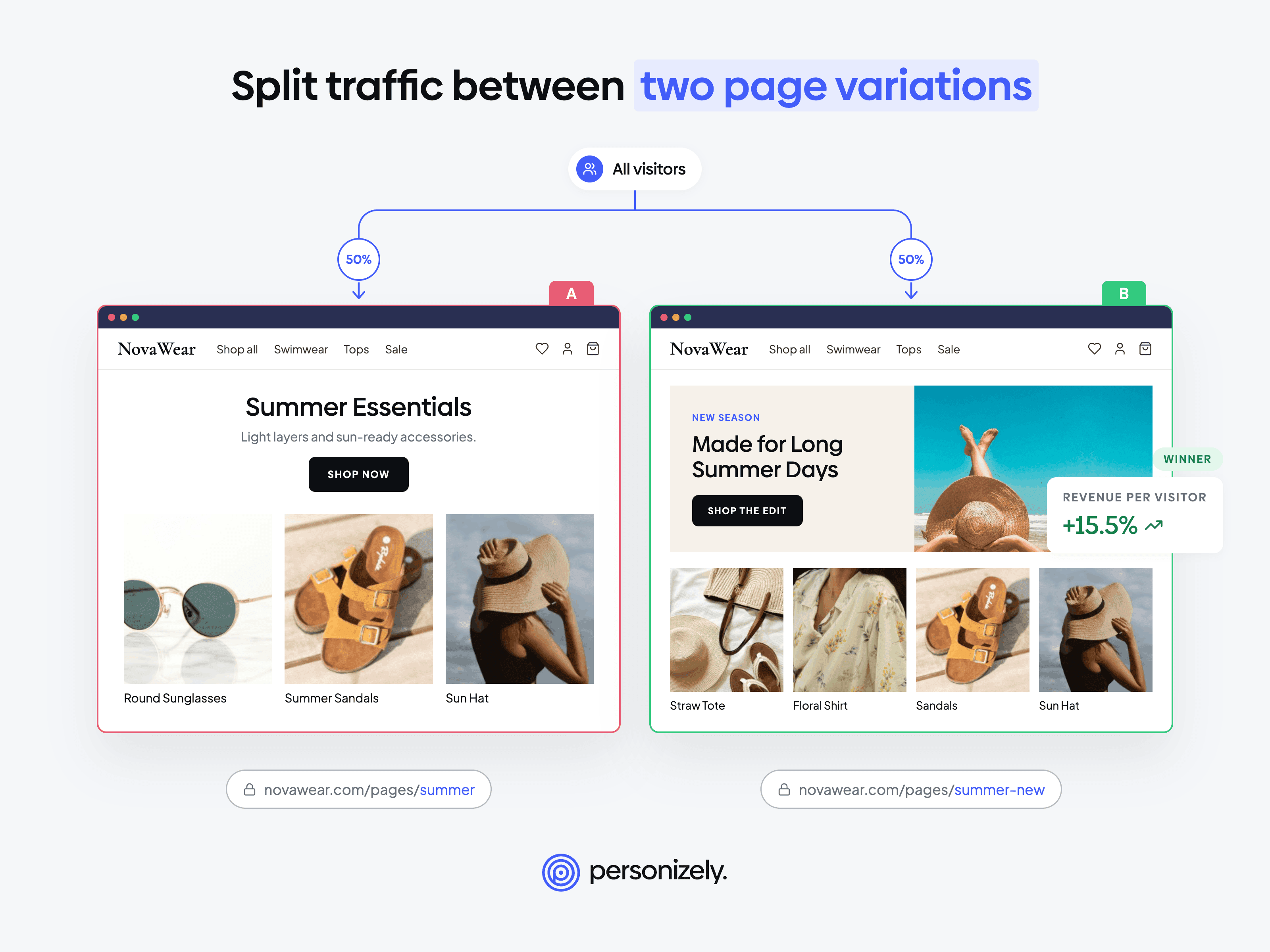
Send traffic to two different pages on your site and compare them.
Split URL testing compares entirely different pages, such as a redesigned landing page against the current one. Add both URLs, set the traffic split, and launch. Each visitor is sent to one version and keeps seeing it on return visits, and Personizely counts conversions on both.
Find out more about split URL testing.
Test prices (for Shopify stores)
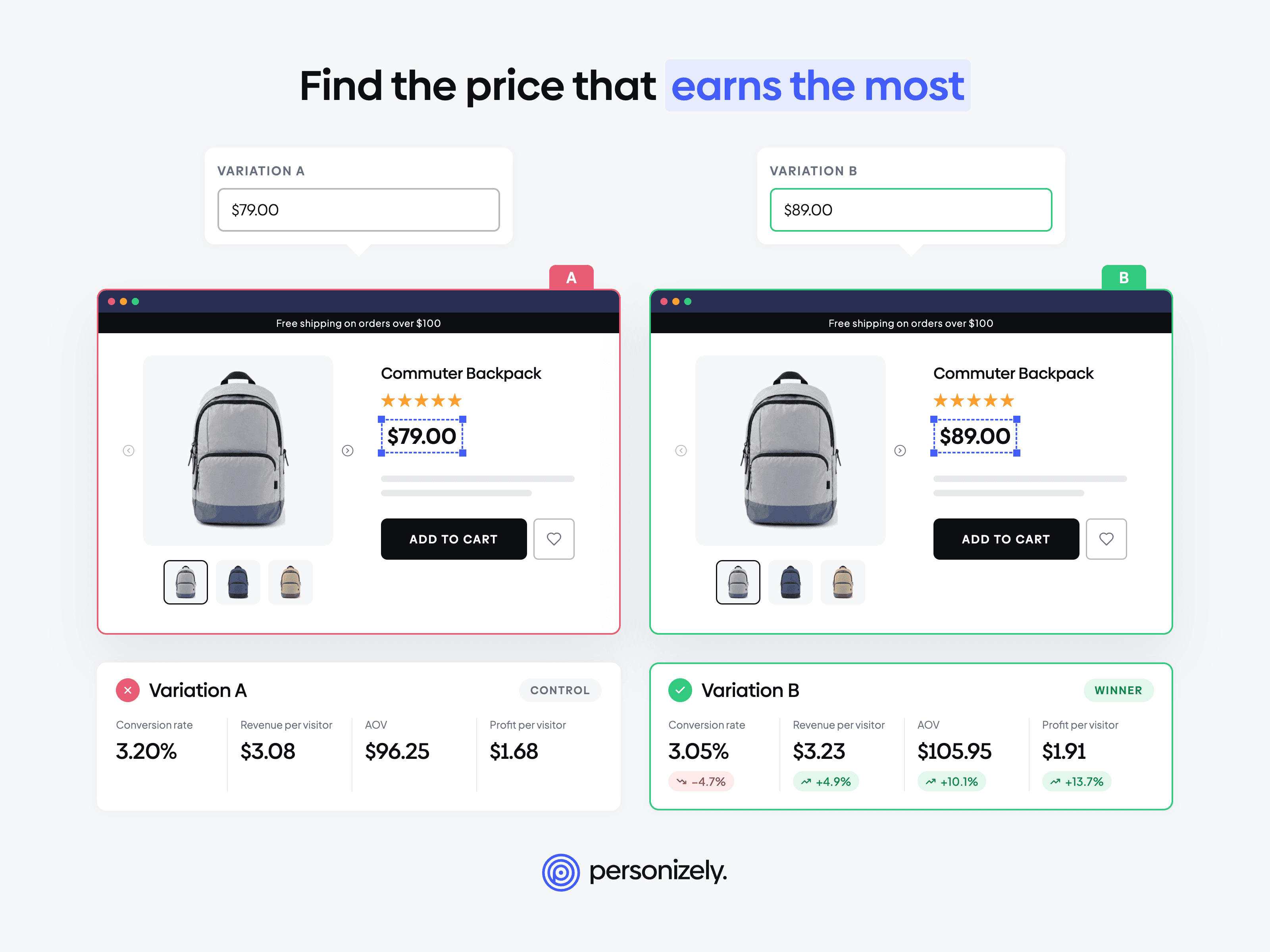
Find the price that earns the most, not only the one that converts.
Price testing shows different prices for the same product to different visitors, who pay the price they see at checkout. You can compare fixed prices, percentage changes, or discount formats, and your real prices don't change while the test runs. Price tests support Shopify Markets and multiple currencies.
To see profit per visitor, each product needs a cost per item and inventory tracking in Shopify.
Find out more about price testing.
Test shipping rates and free-shipping thresholds (for Shopify stores)
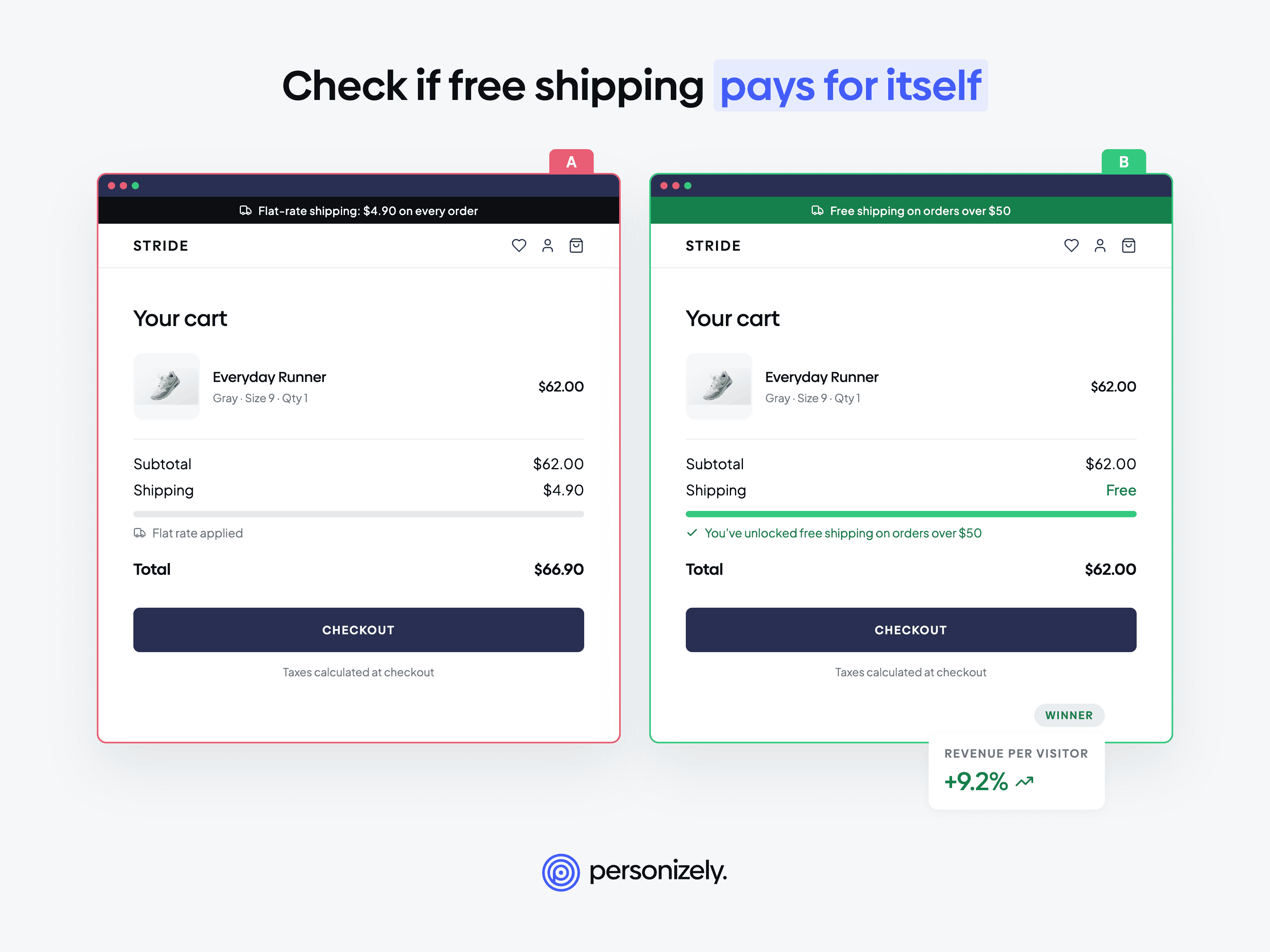
See whether cheaper shipping pays for itself.
Shipping testing compares flat rates and free-shipping thresholds, such as $50 against $75, with your current rates as the control. Each visitor sees one set of rates at checkout. Shipping tests need Shopify Advanced or Shopify Plus, and you set the winning rates yourself in Shopify admin.
Find out more about shipping testing.
Test checkout (for Shopify stores)
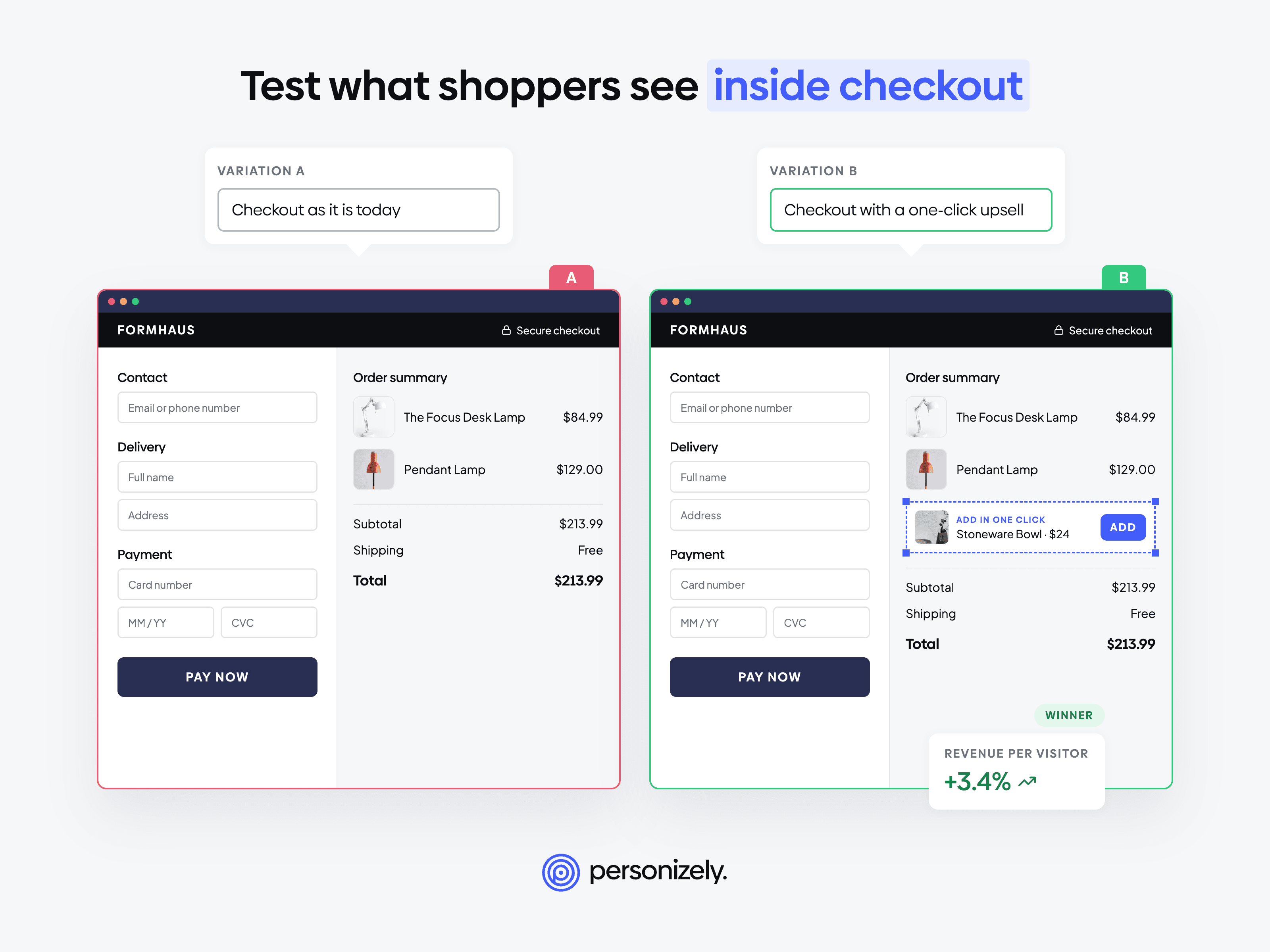
Find the checkout that turns more carts into orders.
Checkout testing lets you A/B test what shoppers see inside Shopify checkout and on the thank-you page, such as one-click upsells, trust badges, shipping messages, countdowns, and post-purchase offers. Each test compares several variations against a control group, and each variation can sit in its own position on the page. You can target tests by cart value, cart items, market, device, and visitor history, and see conversions and revenue for every variation.
The thank-you page works on every Shopify plan except Starter. The checkout steps need Shopify Plus.
Test themes (for Shopify stores)
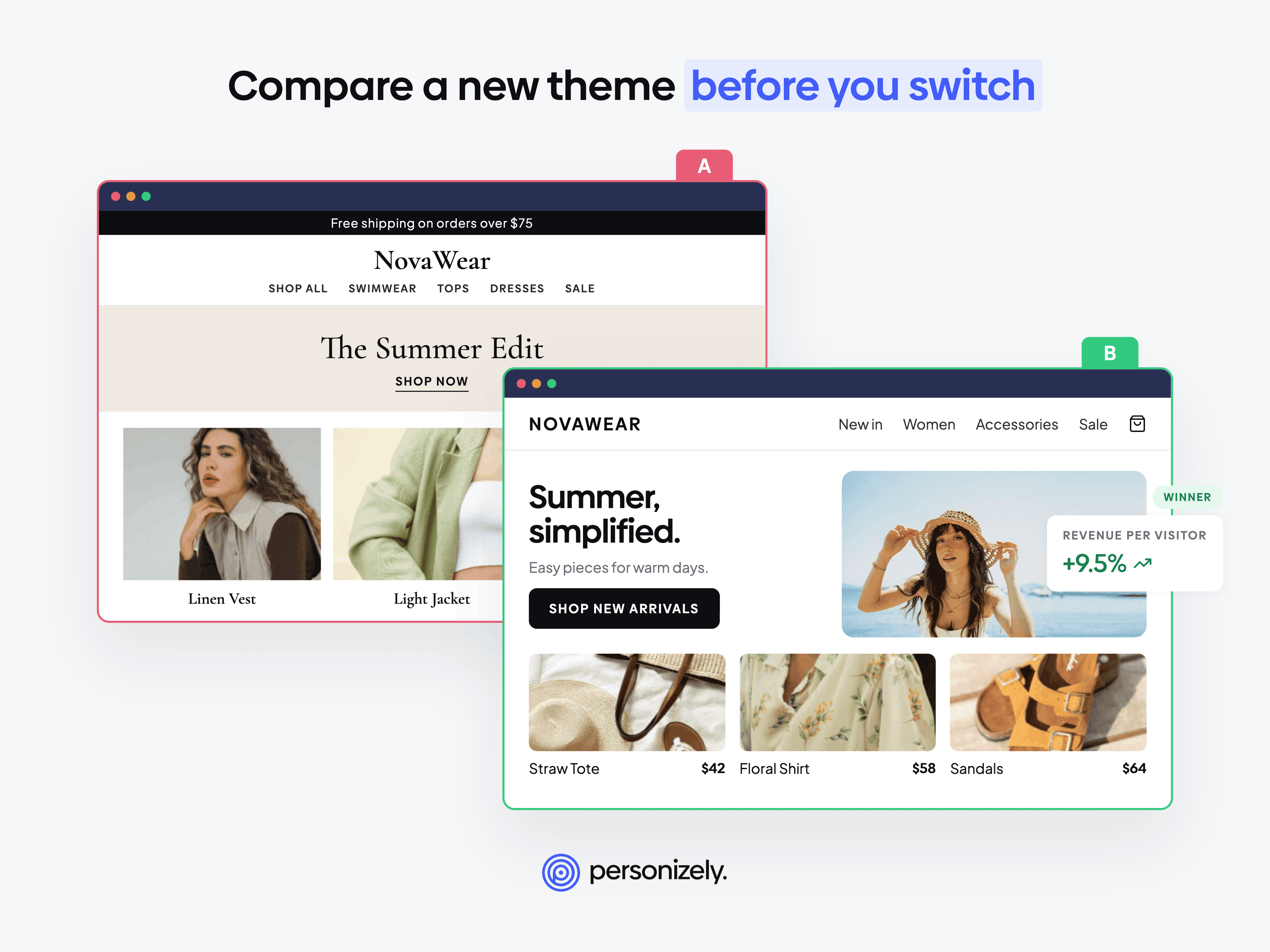
Compare a new theme against the live one before you switch.
Theme testing splits traffic between your published theme (the control) and one or more challenger themes or templates from your Shopify theme library. Each visitor sees one theme for the whole visit. Customers outside the test keep seeing your live theme.
Find out more about theme testing.
Run custom code tests
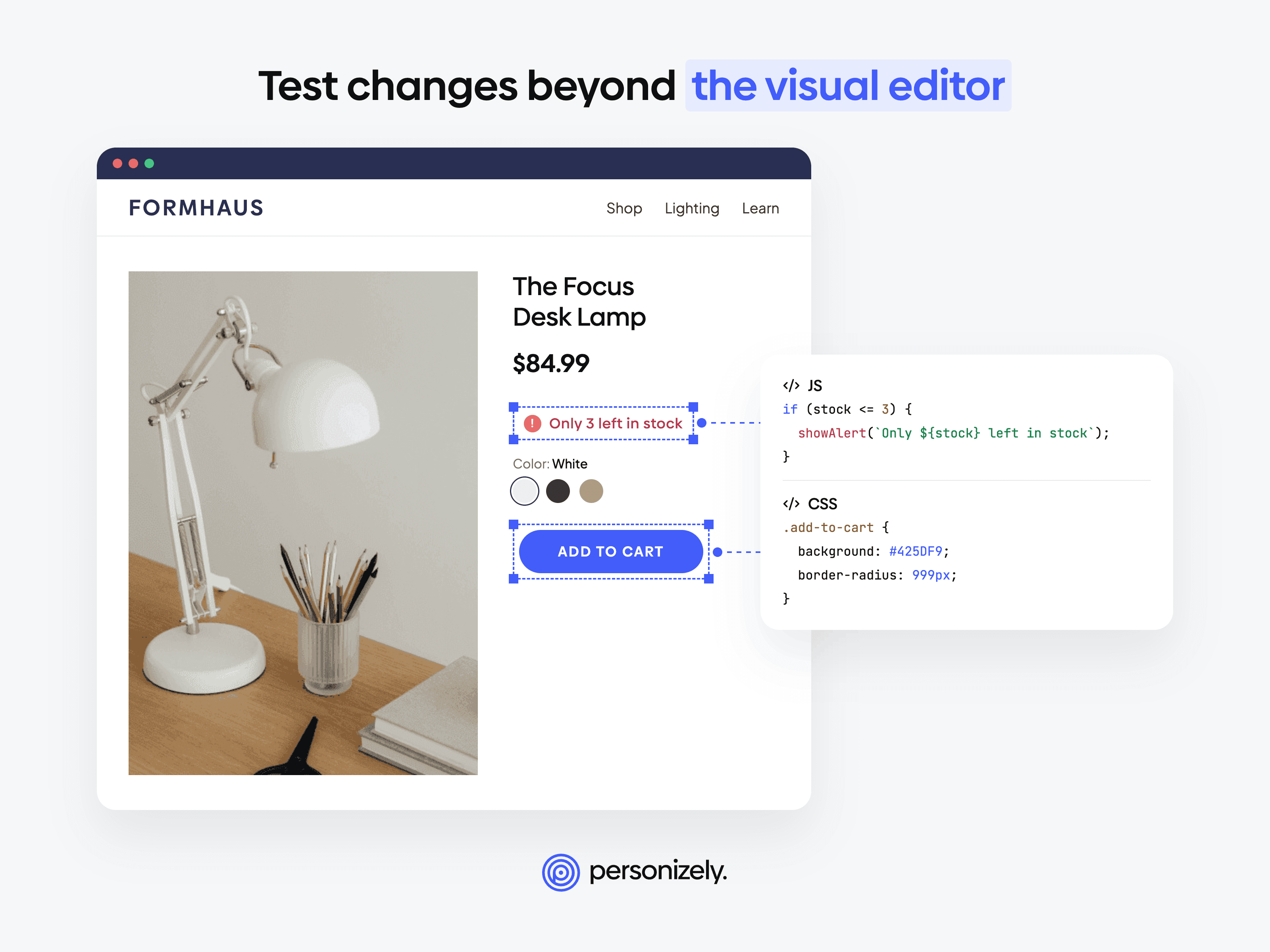
Test changes the visual editor can't make.
Custom code testing lets developers add their own JavaScript and CSS to a variation, or put backend features behind feature flags. Personizely still handles the traffic split, targeting, and reporting. These tests work on any website that loads the script.
Find out more about custom code testing.
Target the right visitors
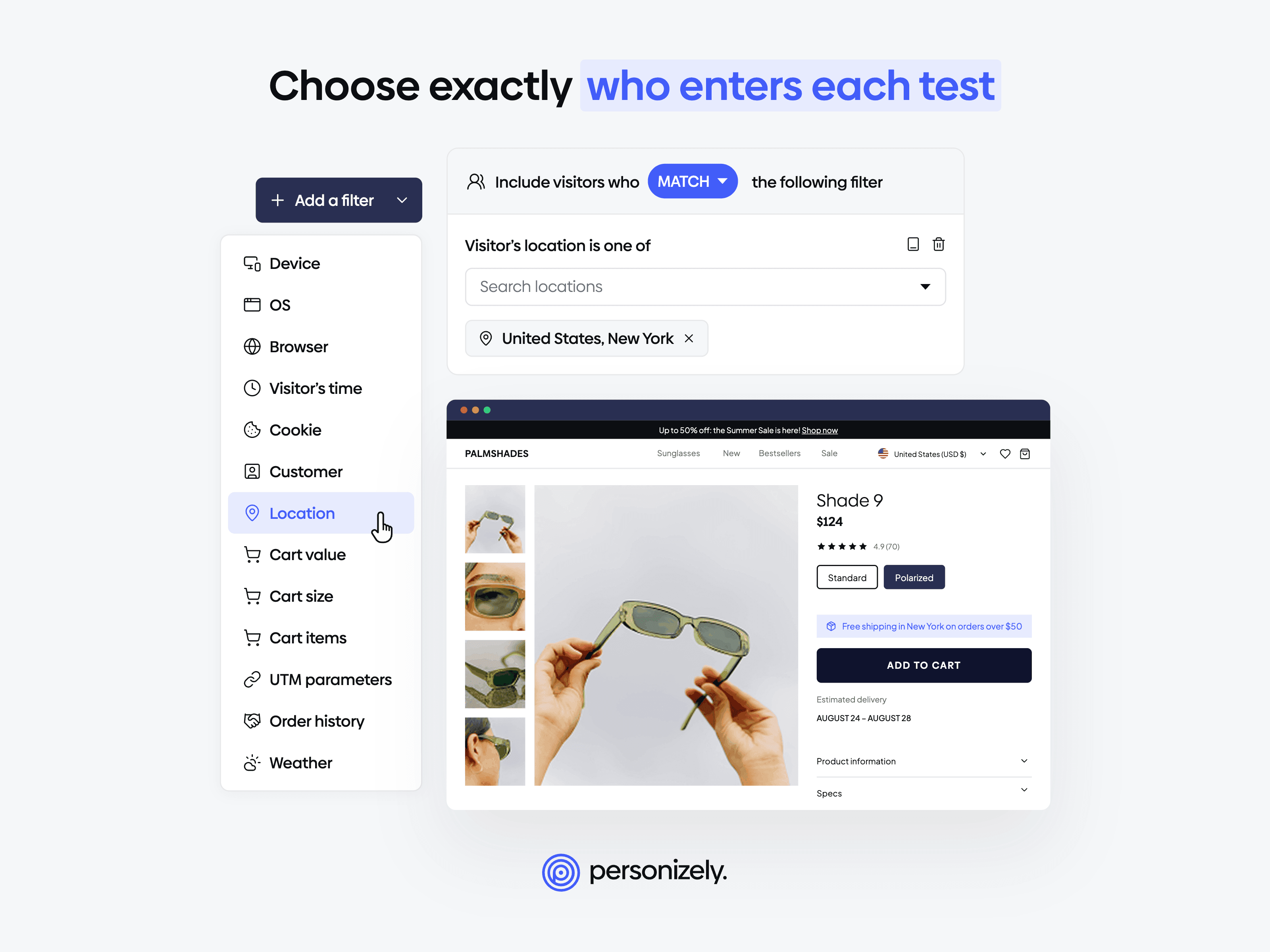
Choose exactly who enters each test.
Audience targeting limits a test to the visitors it's meant for. You set rules by location, device, UTM or ad source, visitor behavior, and customer data. For example, you can test different messages for new and returning visitors, or for a segment arriving from specific marketing campaigns. A visitor who matches the rules enters the test. Everyone else sees your website as usual.
Read results tied to revenue
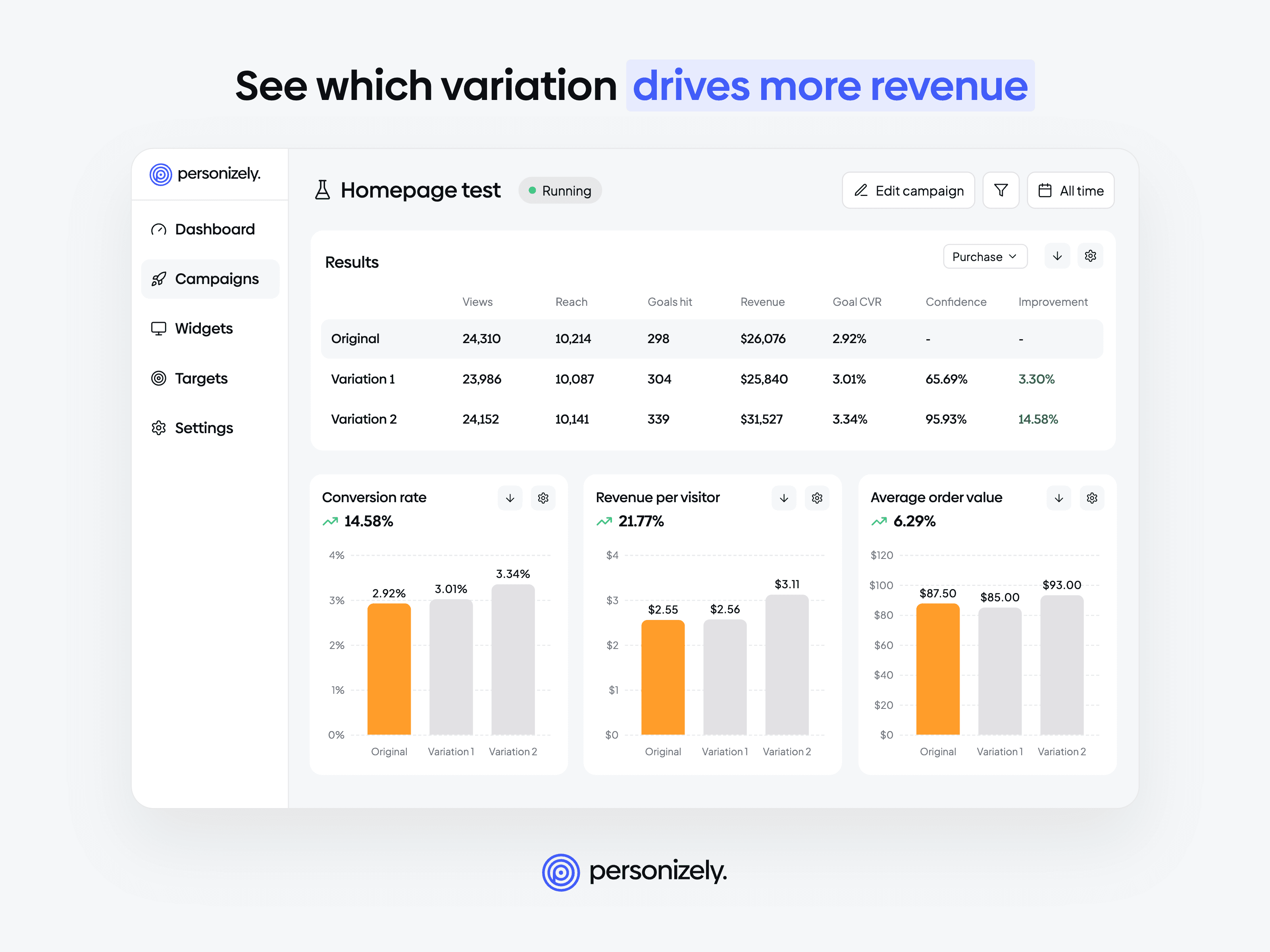
See what each variation earned, broken down by goal.
Live reporting shows conversion rate, revenue per visitor, AOV, and goal hits for every variation. You can break conversions down by goal: purchase, add to cart, or checkout start. For Shopify stores, the profit tracker adds profit per visitor, and orders can be tagged with their variation so your team can check them in Shopify admin.
A/B testing needs enough traffic to give a meaningful result. The free sample size calculator estimates how many visitors each variation needs.
Run several tests without overlap
Keep one experiment from skewing another.
Exclusion groups split traffic between campaigns that share pages or audiences, so each visitor enters only one. The script stays lightweight as you add tests. It's built for each store with only its active campaigns, at about 17 KB gzipped, so site performance holds up. Drafts and paused campaigns add nothing.
Connect your stack
Send test data to the marketing tools you already use.
Personizely connects to Shopify and Klaviyo, plus analytics tools such as Google Analytics and a range of email and SMS marketing platforms. Webhooks send data to tools that aren't on the integrations list.
Find out more about integrations.
A/B test popups and targeted content
Measure on-site offers the way you measure every other change.
Popups, bars, and embedded forms, such as a newsletter form, are built from templates in a drag-and-drop editor and shown on triggers such as exit intent. Popups use the same targeting and analytics as your A/B testing, so you can test different offers against each other and measure which one brings more conversions.
The same applies to content shown to one visitor segment. Behavior-based personalization, such as an exit-intent offer for shoppers who added to cart, can reduce cart abandonment, and you can measure exactly how much it recovers.
Roll out the winner
Push the winning variation live, then test the next idea.
A variation wins when it beats the control on your main metric at the significance level you choose (90% by default). Winners go live in a few clicks. A content winner shows to every visitor who matches the targeting, and you can undo it with one click. Price and theme winners are written to your Shopify store, so review them before you deploy.
How Rausch doubled revenue per visitor with one content test. Berlin chocolate maker Rausch tested its original product description against two AI-written versions. The winning version lifted revenue per visitor by 106% at 99.95% confidence. Read the Rausch case study or see more case studies.
Plans and pricing
Personizely has three plans. The price depends on how many unique visitors your store gets each month, so a smaller store pays less for the same plan. Plans start at $39/month.
| Plan | Up to 10,000 visitors/mo | Up to 1,000,000 visitors/mo |
|---|---|---|
| Essential | $39/month ($31 billed yearly) | $889/month ($711 billed yearly) |
| Premium | $59/month ($47 billed yearly) | $1,339/month ($1,071 billed yearly) |
| Custom | Tailored pricing | Tailored pricing |
- Essential includes split URL testing and theme testing, third-party integrations, and 2 websites.
- Premium adds content testing with the visual editor, price, shipping, and checkout testing, widget testing, personalization campaigns, advanced targeting, custom events, 10 websites, and priority support.
- Custom is for brands with more than 1 million monthly visitors, multiple brands or stores, and agencies, with white-labeling available.
A visitor is one person in a month, so a repeat visit counts once.
Personizely charges no order-based fees and takes no share of sales revenue. You can pay monthly or yearly (yearly is 20% off) with no contract, and you can switch plans or cancel anytime.
Every plan starts with a 14-day free trial that includes all A/B testing features. If you go over your visitor limit, campaigns pause until the next billing cycle or until you upgrade.
Who uses Personizely
More than 2,600 companies worldwide use Personizely, including Mavi, Davines, Corona Extra, The M Jewelers, Geneva, and Built. Most customers fall into three groups:
- Store owners testing their first offers, prices, and product pages.
- Ecommerce and growth teams running an A/B testing roadmap and reporting to leadership what each change earned.
- Agencies running tests for several clients through the partner program, with white-labeling available.
Not sure what to test first? The free hypothesis generator suggests ideas.
Start testing and increase sales with Personizely
Personizely is an A/B testing platform for ecommerce brands, built for Shopify. It puts every type of A/B testing in one place, measures each variation on conversions and revenue, and runs on a lightweight script. You pay for monthly visitors, not orders, and your team can launch without developers. You'll know what a change is worth to your business before you roll it out to your customers.
Start your 14-day free trial. No credit card needed. Prefer a walkthrough? Book a demo.


