
12 Best A/B Testing Tools for Shopify in 2027
With customer acquisition costs (CAC) at an all-time high and margins tighter than ever, guessing whether a price hike or a redesigned landing page will convert is an expensive gamble. Without A/B testing, you can't tell which is which.
That's the problem Shopify A/B testing tools solve. You show one version of a page, price, or offer to part of your traffic and a different version to the rest. Then you measure which one earns more per visitor and roll out the winner.
But with so many A/B testing tools you can pick online, it becomes more difficult to determine the right platform that would perfectly fit into your needs. Some charge extra for price testing while others might bill you by orders, so the bill grows as you grow.
To make things easy, we list 12 best A/B testing tools for Shopify stores. We checked every vendor's own pricing page or app listing as of the time of writing to give you a well-informed decision on shortlisting your options.
Top Shopify A/B testing tools at a glance
The table shows what each tool tests, whether it runs as a native Shopify app, and what it costs to get in. Entry prices are the lowest published monthly plan.
Note: Pricing is current as of the time of writing, so just confirm on the vendor's page before you buy.
| Tool | Price tests | Shipping tests | Native Shopify app | Entry price | Free trial | Best for |
|---|---|---|---|---|---|---|
| Personizely | Yes, from $59/mo | Yes, from $59/mo | Yes | $39/mo | 14 days | Brands with 100K+ monthly visitors that want every test in one plan |
| Intelligems | Separate module, 3-month minimum | Separate module | Yes | $69/mo | 14 days, price tests excluded | Larger stores focused on offer tests |
| Shoplift | Advanced plan and up | No | Yes | $99/mo | 14 days | Theme testing inside the theme editor |
| Visually.io | Pro plan, from $900 ( Shopify Plus) | Pro plan, from $900 ( Shopify Plus) | Yes | $15/mo | 14 days | Small stores that want upsells with their tests |
| Elevate | Standard plan and up | Standard plan and up | Yes | $49/mo | 14 days | Price testing value pick for smaller stores |
| ABConvert | Growth plan and up | Growth plan and up | Yes | $99/mo | 14 days | Stores that prefer billing by test orders |
| Shopify Rollouts | No | No | Built in | Included on Grow and up | None needed | Whole-theme and checkout experiments at no extra cost |
| Convert | No | No | No | $399/mo | 15 days | Agencies running tests across many platforms |
| VWO (Wingify) | No | No | No | Not published | On request | Enterprise teams that want session recordings too |
| Optimizely | No | No | No | Not published | None | Enterprise testing with developers |
| Kameleoon | No | No | App for Shopify Plus | Not published | On request | Enterprise experimentation with AI targeting |
| Dynamic Yield | No | No | App for Shopify Plus | Not published | None | Enterprise personalization platform |
What is A/B testing on Shopify?
Shopify A/B testing compares two or more versions of something in your store to see which performs better.
For example, if you're trying to launch a new product on your Shopify store and test different pricing to see which appeals more to your customers, Shopify A/B testing lets you make data-driven decisions without manually guessing which pricing is the best to use. Usually, the tool you use can be accessed through the Shopify App Store.
You can install a plugin that allows you to test different pricing and track data to see which pricing people often click on or purchase. So basically, you're testing two versions. Version A is your control. Version B is the change. Visitors are split between the test variations at random, and the A/B testing platform measures how each group behaves.
The measurement can be conversion rate, revenue per visitor, profit per visitor, or average order value. The point is to replace opinion with data-driven decisions. Instead of arguing about whether a $5 price increase will hurt sales, you test it on part of your traffic and read the test results.
Different kinds of tests you can perform
- Content tests: You can change copy, product descriptions, product images, or layout on the same page and compare conversion rates. These tests still matter on product pages and landing pages, where small changes reach a lot of visitors.
- Theme testingand template testing: Compare two full themes, or two product page templates, instead of one element.
- Price testing: Aside from conversion rate, you'll also have the option to show different price points to different visitors and measure revenue and profit.
- Shipping rate testing: It does the same for shipping thresholds and rates. These are the tests that most often change what a Shopify store earns, and the ones most testing tools charge extra for.
- Split URL testing, also calledsplit testing: This lets you send visitors to two different pages and compares them. It's the simplest way to test new landing pages against your current ones.
- Multivariate testing: Change multiple variables at once and measure every combination. However, this needs far more traffic than A/B testing, so most Shopify stores rarely use it.
Why conversion rates are only half the story
Even though your tests lift your Shopify conversion rates, it can still lose you money when you don't carefully compute the costs behind the scenes. A lower price obviously would convert better, but that will earn you less, especially if you have lots of manpower to pay. On top of that, a free shipping threshold that converts better can shrink your margin.
That's why revenue tracking matters more than conversion tracking in ecommerce. You want revenue per visitor and, where possible, profit per visitor for every variation. If an A/B testing tool only reports conversion rates, you're guessing at the part that pays the bills.
Accurate revenue tracking also helps you show leadership what a change earned. "$0.12 more per visitor" beats "4% better conversion."
8 Features to look for when choosing a Shopify A/B testing tool
Every A/B testing platform promises higher conversion rates. These eight features separate the tools built for Shopify stores from the rest.
1. Price testing and shipping rate testing
Check whether price testing is included in the plan you'd buy, or sold as an add-on. Intelligems sells it as a separate module with a 3-month minimum. Shoplift, on the other hand, includes it in its Advanced plan. Elevate and ABConvert include it from their second tier. Visually includes price and shipping testing in its Pro plan, for Shopify Plus stores only.
But if you'd like more flexibility, Personizely includes it with content and theme testing in one plan. So make sure to pick the one that would save you the cost while also getting the most out of this feature.
Additionally, shipping testing has its own fine print. On every tool, shipping rate tests need Shopify Advanced or Plus, because they rely on Shopify's carrier-calculated shipping. Winners are usually set in Shopify admin rather than deployed from the A/B testing tool.
2. A native Shopify app that needs no theme code changes
A native Shopify app installs from the Shopify App Store, reads your orders through Shopify's APIs, and tracks revenue from real orders. A/B testing tools built for any website usually need a script in your theme and a separate pixel for checkout, and they report sessions rather than orders. If the setup guide starts with "edit your theme code," plan for developer time at initial setup and whenever your theme changes.
3. Theme, template, content and funnel testing in one place
The best Shopify A/B testing tools let you create tests at every level (e.g., a single element, a product page template, a whole theme, landing pages, the checkout, etc.) And funnel testing, where you follow a visitor from changed product pages through to purchase, only works if the tool tracks the whole path.
A theme-only tool can't test a headline for returning visitors. Also, a popup-only tool can't test a template. So when choosing a platform, make sure you watch for narrow testing capabilities.
4. Accurate revenue tracking from real orders
Ask where the revenue number comes from. The strongest answer is "from your Shopify orders," with each order tagged by the variation that produced it. Then anyone can open Shopify admin and check the test results. Profit per visitor goes a step further. It needs a cost per item and inventory tracking on every product, so enter those before you start testing.
5. Site speed and Core Web Vitals
Every A/B testing script adds weight to your pages. Ask how big it is and whether it loads synchronously. A synchronous script avoids the flash of original content before the variation appears, but a heavy one slows every page.
Personizely builds a script for each store with only its active tests, about 17 KB gzipped, lighter than a single product photo. Shopify Rollouts runs server-side, so it adds no script at all.
Enterprise platforms built for any website tend to ship larger scripts.
6. Statistical significance you can trust
A test result is only useful if it's unlikely to be noise. Look for an A/B testing platform that reports statistical significance and lets you choose between frequentist and Bayesian statistical analysis.
Sequential testing, which lets you read results safely before the planned end date, is a plus for high-traffic stores.
Be wary of tools that declare a winner after a few days. Test duration should be set by sample size, not by excitement.
7. No-code test setup, plus custom code when you need it
Ecommerce and growth managers should be able to build tests in a visual editor without technical expertise. No-code testing covers most content tests.
For the rest, the A/B testing tool should accept your own CSS and JavaScript. A developer with the technical expertise builds the test variants once, and the team runs them without technical skills.
8. Pricing that scales with your store, not against it
Pricing scales in three ways across A/B testing tools: by visitors, by orders, or by tested users. Order-based billing punishes you for growing. Tested-user billing is hard to forecast. Visitor-based billing is the easiest to budget, because you know your traffic.
Also check for minimum contracts. Some tools lock price testing behind a 3-month minimum. Others sell annual contracts only.
Use these eight points as a checklist when you compare the testing capabilities below.
The 12 best A/B testing tools for Shopify in 2027
Here are the 12 best Shopify A/B testing tools, with what each tests, what it costs, and where it falls short. Native Shopify apps come first, then the enterprise platforms.
1. Personizely
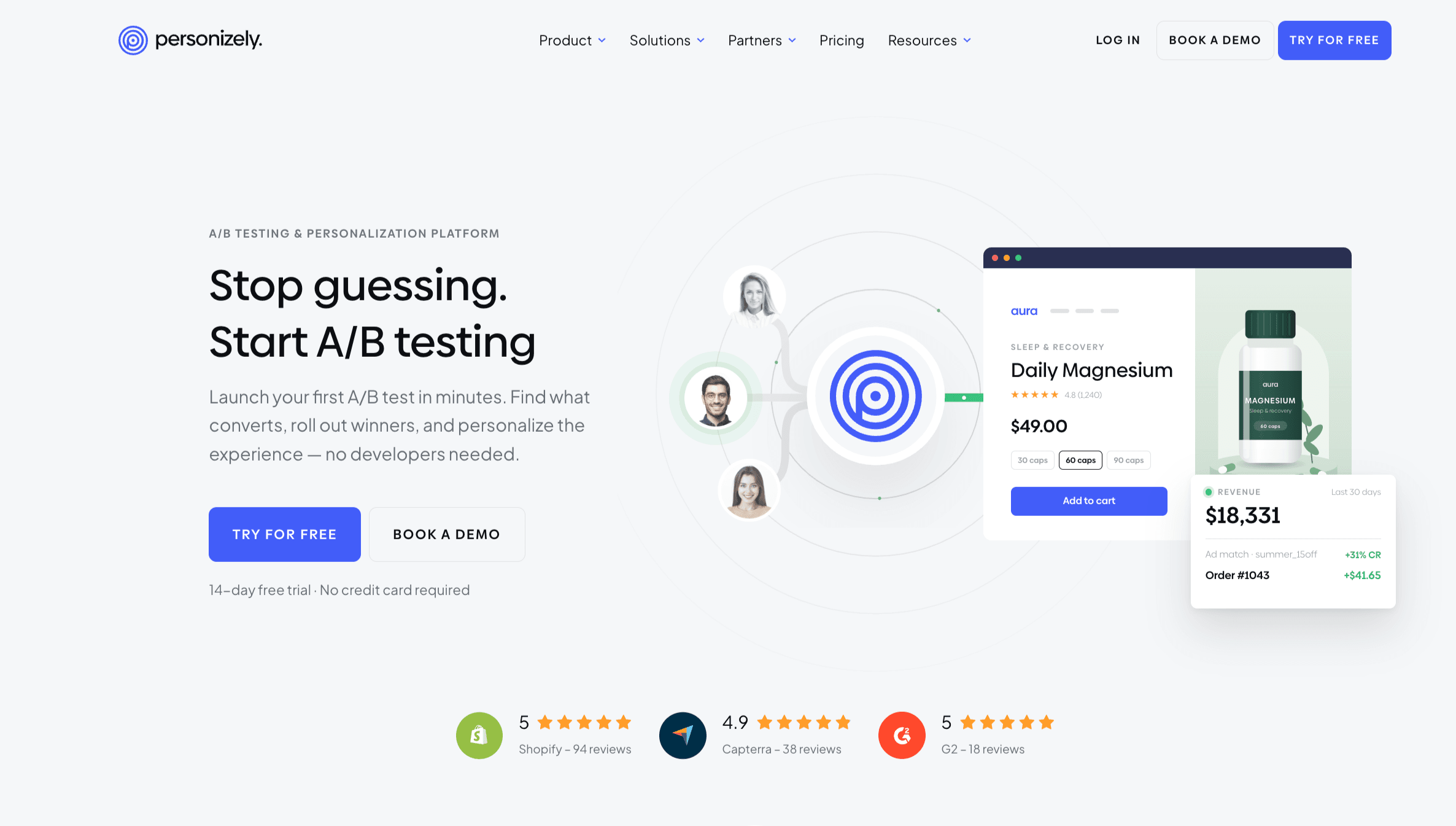
Personizely is an A/B testing platform for ecommerce brands, built for Shopify. This is widely used by teams to test content, themes, templates, prices, shipping, offers, and split URLs in one place. You can also build variations in a visual editor or with your own code. Every variation is measured on real Shopify orders, such as conversion rate, revenue, profit per visitor, and average order value.
Results can be read with frequentist or Bayesian statistics. So winners go live in a few clicks, without any developers needed, and the Personizely team can help you set up any test. Pricing and shipping tests start at $59/mo, billed by monthly visitors rather than orders, with no minimum contract and a 14-day free trial.
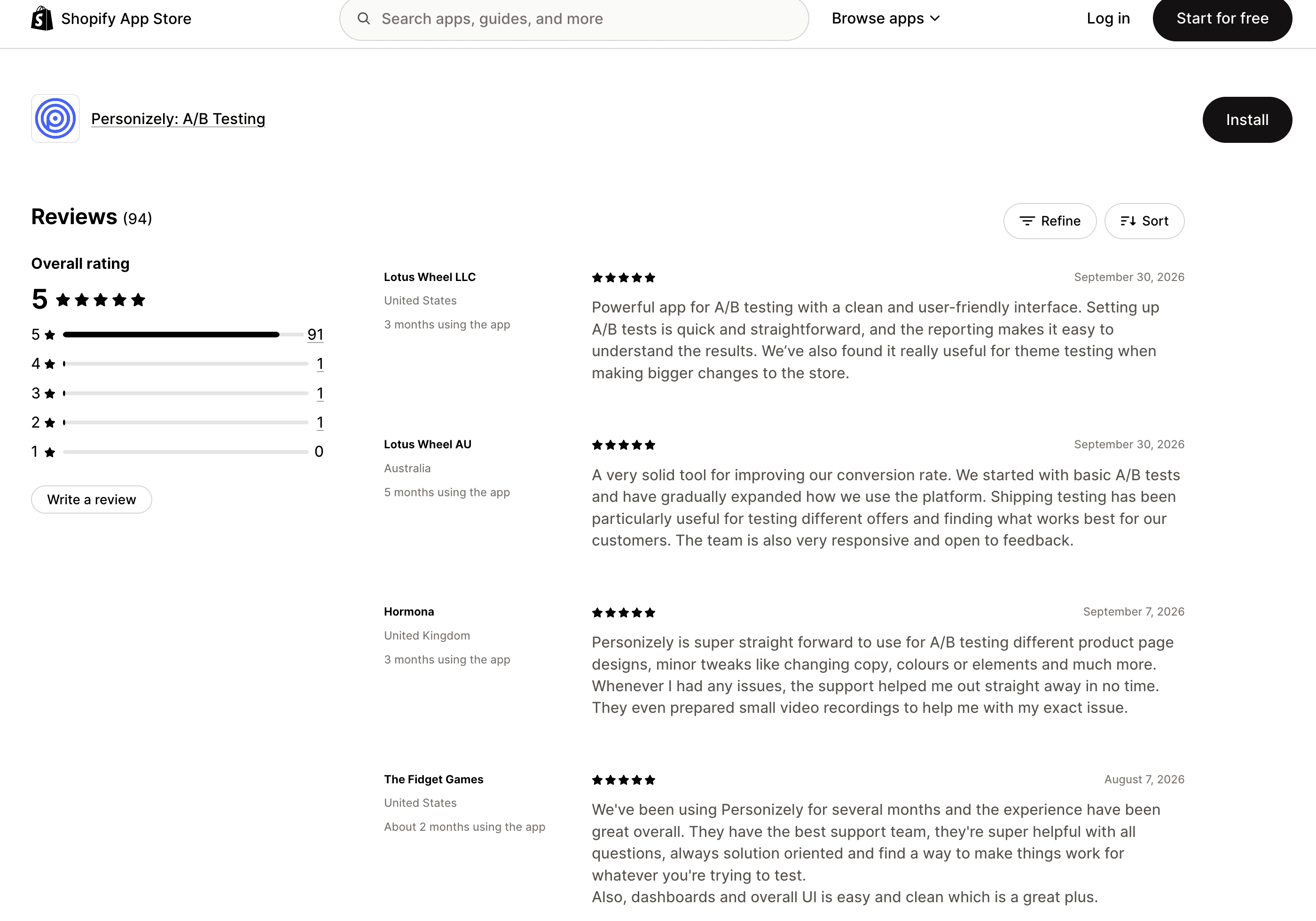
Since 2018, more than 2,600 companies have used Personizely, and it holds a 5.0 rating on the Shopify App Store.
Best for: Shopify brands with 100K+ visitors a month that want to test content, prices, and shipping in one plan, and decide on revenue and profit per visitor rather than conversions alone.
Testing capabilities:
- Content tests in a visual editor or with your own CSS and JavaScript
- Theme testing
- Template testing
- Price testing
- Shipping tests (Premium, Shopify Advanced or Plus)
- Offer tests and popup tests
- Split URL testing
- Multivariate tests
- Feature flags
- Profit per visitor analytics
- Tests on product pages, landing pages, and other store pages
- Audience targeting, such as a new headline for returning visitors or a different offer for a traffic source
- Orders tagged with their variation, checkable in Shopify admin
Pricing:
- Essential starts at $39/mo and covers theme and split URL testing.
- Premium starts at $59/mo and adds content tests, price testing, and shipping tests.
- Both are billed by monthly visitors, so a good month in orders doesn't raise the bill.
- There is no add-on module and no contract.
- 14-day free trial included
Limitations: Shipping tests need Shopify Advanced or Plus, can’t be previewed on the storefront, and winners are rolled out by updating delivery profiles in Shopify admin.
Reviews: 2,600+ companies since 2018, 5.0 on Shopify, 4.9 on Capterra, and brands like Mavi, Davines, and Corona Extra.
Our take: It's our tool, so weigh this accordingly. The case for it is the plan structure: nobody else on this list puts price and shipping tests in the same plan as content tests, with no module and no minimum term. If pricing is on your roadmap, that matters a lot.
2. Intelligems
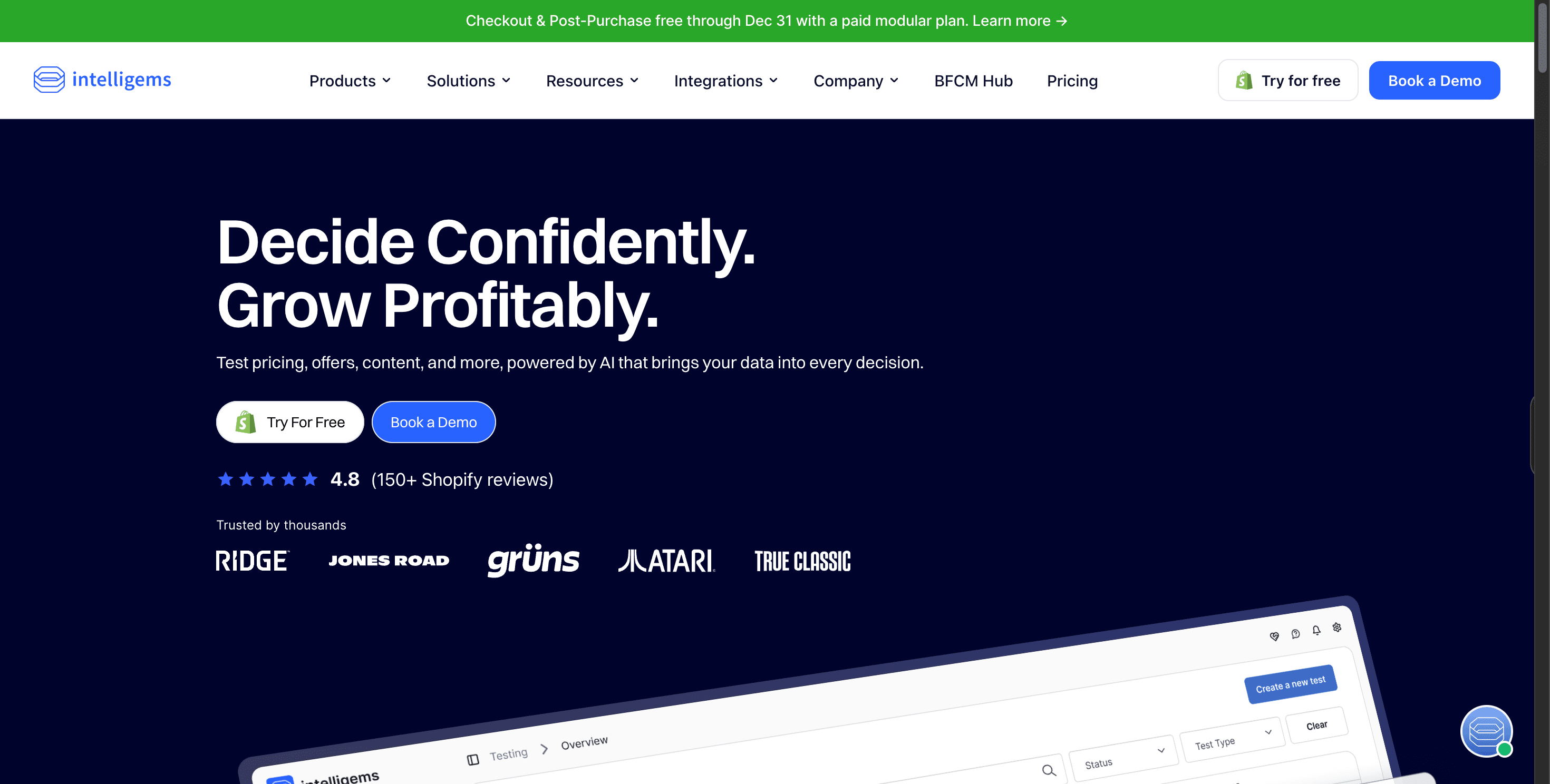
Intelligems is a native Shopify app built around one number, which is profit per visitor. Aside from conversion rate and revenue. Intelligems pulls in your product costs and reports which variation made more money after margin. On top of that, it tracks around 30 ecommerce events by default.
That puts its analytics closer to enterprise platforms than to lightweight Shopify apps, without the long implementation those tools need. Intelligems lists three AI features. An AI visual builder turns plain-language requests, like “add a Best Value badge to the middle bundle,” into test variants.
A Slack assistant called Charlie builds tests and pulls results without opening the app. An MCP server brings Intelligems data into Claude, ChatGPT, or Gemini, so you can break down profit per visitor by traffic source or device inside your AI tool.
Best for: Larger stores that want profit analytics, managed support, and combination testing across price, shipping optimization, and offers.
Testing capabilities:
- Landing pages, themes, and on-page content edits
- Product prices for single SKUs, whole collections, or the full catalog
- Shipping rates and free shipping thresholds
- Offers such as bundles, gifts with purchase, tiered discounts, and progress bars
- Checkout and post-purchase elements
- Apps switched on or off, to measure what each one adds
- Combination testing that changes price and shipping together
- Personalized content for different customer segments, by traffic source, device or Klaviyo segment
Pricing:
- Build Your Own starts at $69/mo at the lowest order tier, and every plan includes Smart Content.
- Price testing lives in the Smart Pricing module, which carries a 3-month minimum and isn’t part of the 14-day trial.
- Pricing scales with monthly orders, with no overages, and the all-module Unlimited plan has no free trial.
Limitations: Price testing is a separate module with a minimum commitment, so the real entry price for price tests sits well above the headline. Billing follows storewide orders, not only the orders in your tests, so the bill grows with the store. Profit numbers are only as good as the cost data you enter.
Reviews: It holds a 4.8 rating on Shopify.
Our take: The tool to beat for price testing and profit analytics if you can live with the module pricing and the 3-month minimum.
3. Shoplift
Shoplift builds tests by duplicating templates and editing them in Shopify's theme editor, so the test setup feels familiar to anyone who works in the theme customizer. It tests product pages, collections, landing pages, and themes, and describes itself as the first A/B testing app with Shopify Plus certification.
Best for: Theme testing with no flicker, for stores that live in the theme editor.
Testing capabilities:
- Product page layouts, collections, and landing pages
- Content: headlines, product images, product descriptions, trust badges, and calls to action
- Whole themes and templates
- Prices (Advanced plan and up), synced across product pages, collections, cart, and checkout
- Subscription prices through Recharge 2.0
- No shipping rate tests
Pricing:
- Core starts at $74/mo billed yearly ($99 monthly) for up to 50,000 visitors.
- Price testing starts on Advanced, listed at $399/mo ($299 billed yearly) for 100,000 visitors and rising to $999/mo at 1M visitors.
- Pro adds a merchant success manager.
- All plans include a 14-day free trial.
Limitations: Price tests only from the Advanced plan up, and no shipping tests. Pricing counts all visitors, not just tested ones, so high-traffic stores pay more even when running tests rarely.
Reviews: It holds a 4.9 rating on Shopify.
Our take: The right pick if your team lives in the theme customizer and never needs to test shipping. If you do, you'll end up with a second app.
4. Visually.io
Visually.io is a no-code A/B testing tool paired with upsells, product recommendations, and personalization. Marketers build variations by clicking on page elements in a visual editor, and AI helps generate and edit page components.
Removing the developer queue. A marketing team can launch several content tests in a week without waiting on engineering. The upsell and recommendation tools sit in the same app as the tests, so you can test an offer and its page in the same campaign.
Best for: Small stores that want content tests, upsells, and audience-targeted personalizations from the same app.
What you can test:
- Product page content and layouts
- Homepage and collection page elements
- Landing pages for campaigns
- Upsells, product recommendations, and post-purchase offers
- Audience-targeted personalizations by device, traffic source, or Klaviyo segment
- Prices, through a custom setup for eligible stores
Pricing:
Entry plans are billed by orders: $15/mo for up to 100 orders
Price and shipping testing are included in the Pro plan, which starts at $900/mo for up to 100 orders and also adds a monthly CRO expert session and 2 hours of engineering support. Both tests need Shopify Plus.
$25/mo for up to 200 and $80/mo for up to 600, each with a 14-day trial.
Pricing for larger stores isn’t published.
Limitations: Price and shipping tests aren't on the entry plans. They start on Pro at $900/mo and need Shopify Plus, so the real entry price for those tests sits well above the headline. Order-based billing means the bill grows with your sales. Changes run through Visually’s script layer, so like any overlay, it needs careful setup to avoid flicker, and running several tests at once needs clean audience rules so they don’t overlap.
Reviews: It shows a 4.8 rating from 148 reviews on Shopify.
Our take: A fair starting point for a small store that wants upsells and content tests from one app. Past a few hundred orders a month, ask about pricing first.
5. Elevate A/B Testing
Elevate is a native Shopify app that covers a wide range of tests at a low entry price. Its visual editor handles content changes, and its statistical analysis runs on a Bayesian engine with a probability-to-win score for each variation. It reports profit metrics from your cost of goods and offers AI-powered test suggestions to help you decide what to test next.
Best for: Smaller stores that want to optimize pricing at a low entry price.
What you can test:
- Themes, templates, and split URLs
- Visual content changes and product images
- Prices
- Shipping rates and the free shipping threshold
- Checkout, on Shopify Plus
Pricing:
- Basic is $49/mo with template, theme, and split URL testing and a visual editor.
- Standard is $99/mo and adds price testing, free shipping threshold and rate tests, product image tests, and checkout tests.
- Premium is $499/mo.
- All plans scale by order volume and include a 14-day trial.
Limitations: The bill grows with your orders. Checkout tests need Shopify Plus, as they do on every tool. Multi-currency price tests are Premium-only.
Reviews: It holds a 4.9 rating from 145 reviews on Shopify.
Our take: The best value for a store under 50K visitors that wants to try price testing. Model your bill at next year's order volume before you choose it over a visitor-based plan.
6. ABConvert
ABConvert carries the Built for Shopify badge and puts price, shipping, offer, page, theme, checkout, and URL redirect tests in one app. Results are read on profit per visitor, average order value, and margin, with real-time analytics and statistical significance tracking. ABConvert says a first test can go live in about 30 seconds, and it offers expert onboarding for campaign setup.
Best for: Stores that would rather pay by test orders than by total traffic.
Testing capabilities:
- Themes, templates, and page content
- Split URLs and redirects
- Offers and discounts
- Prices, including multi-market prices (Growth plan and up)
- Shipping rates and the free shipping threshold (Growth plan and up, Carrier Service API needed)
- Checkout, cart and upsells (Shopify Plus)
- Audience targeting by location, device, traffic source, UTM source, customer type and new versus returning visitors
Pricing:
- Starter is $99/mo for 1,000 test orders.
- Growth is $199/mo for 5,000 test orders and is the first plan with price and shipping testing.
- Scale is $399/mo, and Pro is $599/mo, with extra test orders billed per 1,000.
- Every plan has a 14-day trial.
Limitations: Price and shipping tests start at $199/mo. Checkout, cart and upsell tests need Shopify Plus, and shipping needs a plan with the Carrier Service API.
Reviews: It holds a 4.4 rating on Shopify.
Our take: Paying by test orders is fair if you test in short bursts. If tests run all the time, do the math against a visitor-based plan.
7. Shopify Rollouts
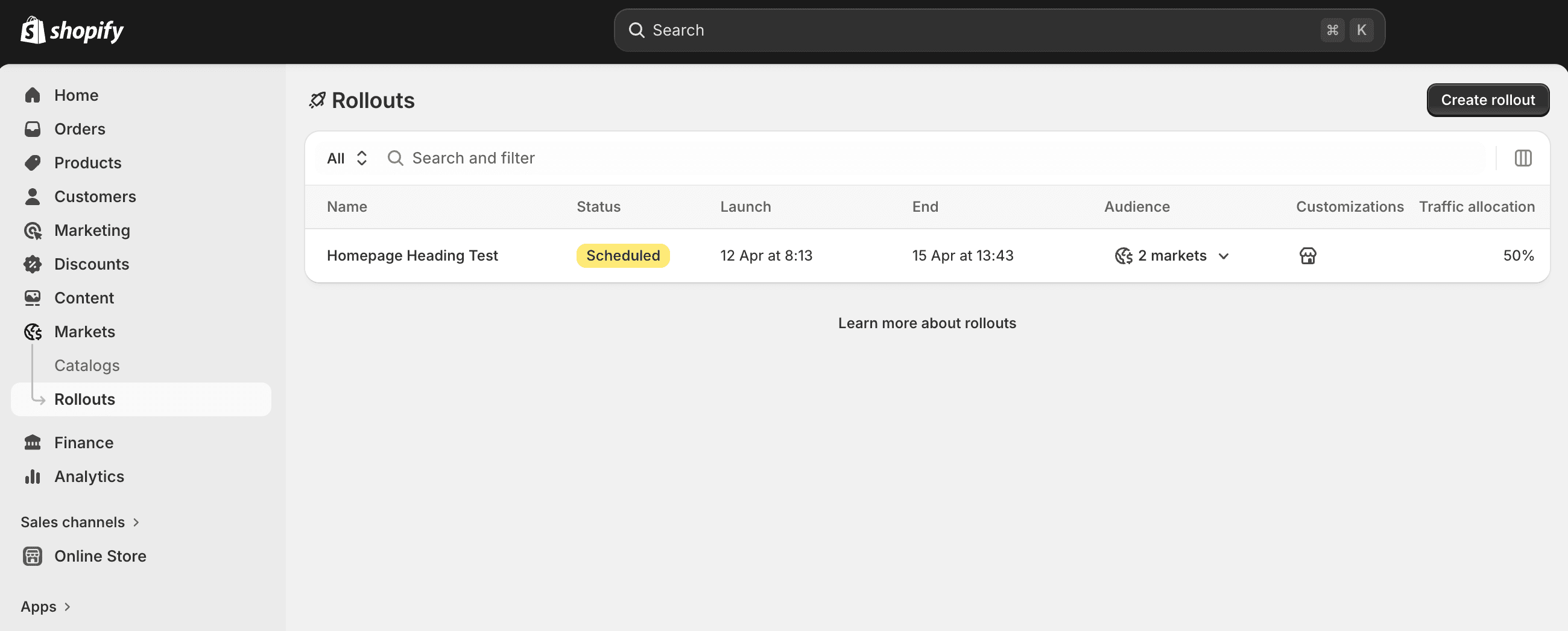
Shopify Rollouts is Shopify's own feature for scheduling, gradually publishing, and A/B testing changes to your theme, checkout and customer accounts, discounts, and catalogs. It lives under Markets > Rollouts in Shopify admin and runs server-side, so no script slows your pages. Shopify expanded it to full experiments on June 5, 2026.
Best for: Whole-theme and checkout experiments with no extra subscription.
Testing capabilities:
- A new theme against your live theme, before it goes live
- Checkout and customer accounts configuration
- Discounts and catalogs
- Scheduled and gradual releases (Basic plan and up)
- A/B experiments (Grow plan and up)
- No price tests or single-element tests
Pricing:
- Rollouts are available on the Basic plan and higher.
- Experiments, the A/B testing type, need the Grow plan or higher.
- There is no separate charge.
Limitations: Rollouts compare whole themes or configurations, not single elements. It can't run price testing, test a headline for one segment, or report revenue per visitor by variation the way dedicated A/B testing tools do. Shopify's separate, free Smart Pricing app gives AI price tips and offers price A/B tests to select US merchants only.
Our take: Turn it on. It's free, native, and right for a theme swap. Don't expect it to replace an app for element-level or price tests.
8. Convert Experiences
Convert is a script-based experimentation platform that works across any stack, Shopify included, and is popular with CRO agencies for its privacy focus and transparent pricing. It offers A/B testing, split URL testing, and multivariate testing with 40+ targeting filters.
Best for: Agencies running tests for clients on several platforms.
Testing capabilities:
- A/B tests and split URLs on any page where its snippet is installed
- Multivariate tests (Pro plan)
- 40+ audience targeting filters
- Shopify prices, through a setup guide in its support docs
- Works across Shopify and non-Shopify sites in one account
Pricing:
- Growth is $399/mo, or $299/mo billed yearly, for 100,000 tested users a month.
- Pro is $599/mo for 250,000 tested users and adds multivariate testing.
- There is a 15-day trial.
Limitations: Not a native Shopify app, so revenue tracking needs setup, and there is no profit per visitor. No price or shipping testing. The entry price sits far above the native apps.
Our take: Worth it for an agency with Shopify and non-Shopify clients. For a single Shopify store, a native app does more for less.
The enterprise platforms: Wingify, Optimizely, Kameleoon and Dynamic Yield
The last four are enterprise testing platforms. None is a native Shopify app, none publishes pricing, and none runs price or shipping testing. They're here because large Shopify Plus brands use them, usually alongside a native app.
- Wingify (VWO and AB Tasty new combination): Announced their combination on January 20, 2026, and relaunched as Wingify on September 16, 2026. The combined A/B testing platform pairs A/B, split URL, and multivariate testing with heatmaps, session recordings, and other behavioral analytics tools that show visitor behavior.
- Optimizely: An experimentation platform with front-end and server-side testing, feature flags, and progressive rollouts, built for product and engineering teams running multiple tests across web and mobile.
- Kameleoon: Known for its statistics, including sequential testing and multi-armed bandits, and for AI-driven targeting of different customer segments. Its Shopify app connects stores on Shopify Plus.
- Dynamic Yield by Mastercard: A personalization platform first and an A/B testing tool second, with segmentation by customer behavior across web, app, and email. It became a Shopify Plus Certified App Partner in 2023, and its free Shopify app needs a paid Dynamic Yield account.
Best for: Enterprise testing programs with developers on staff.
Our take: If you don't already have one of these, you probably don't need one. A store with 100K to 1M visitors gets more from a native app at a fraction of the cost. If you do have one, keep it for server-side work and add a native app for prices and shipping.
Be careful stacking Shopify apps for conversion rate optimization
Every app you add for conversion rate optimization adds a script. An A/B testing tool, a reviews widget, and a heatmap tool can together add hundreds of kilobytes to every page load. That hurts site speed and Core Web Vitals, and slower pages convert worse.
Three habits keep the stack lean. First, pick an A/B testing platform that covers content, theme, price, and offer tests, so you don't need a second app for each. Second, ask for the script size and remove apps you no longer use. Third, run a page speed check before and after you install anything.
If you need session recordings or heatmaps to study user behavior and find test ideas, most A/B testing tools integrate with Microsoft Clarity or Hotjar. Turn them off when you're done researching.
Which Shopify A/B testing tool is right for your store?
If you take one thing from this guide, let it be this. Choose the tool that fits the tests you’ll actually run, and not just the one with the longest feature list. If you’re under 100K visitors a month, start with Shopify Rollouts for free theme experiments, then add an app when you’re ready for content tests and price testing.
Likewise, if you're on 100K+ monthly visitors, compare plan terms before dollars. Compare what’s included, what’s an add-on, and whether the bill follows visitors or orders. If you run server-side experiments with a dev team, an enterprise testing platform is worth its price.
Whichever way you lean, ask every vendor one question: can I see revenue and profit per visitor for each variation, from real Shopify orders? The answer tells you more than any demo will.
Personizely is an A/B testing platform for ecommerce brands, built for Shopify, and it was built around exactly that question. Content, theme, price, shipping, and offer tests come in one plan, with no add-on modules and no contract.
If that sounds like a fit, start with our 14-day free trial, and our team will help you set up your first test.


